Ten seconds a day.
A small, quiet tracker for the few things you want to keep doing. Tap what you kept, close the app. Calm, honest statistics do the rest.

Android APK · version [VERSION] · [SIZE] MB · Android [MIN VERSION] or later. How to install
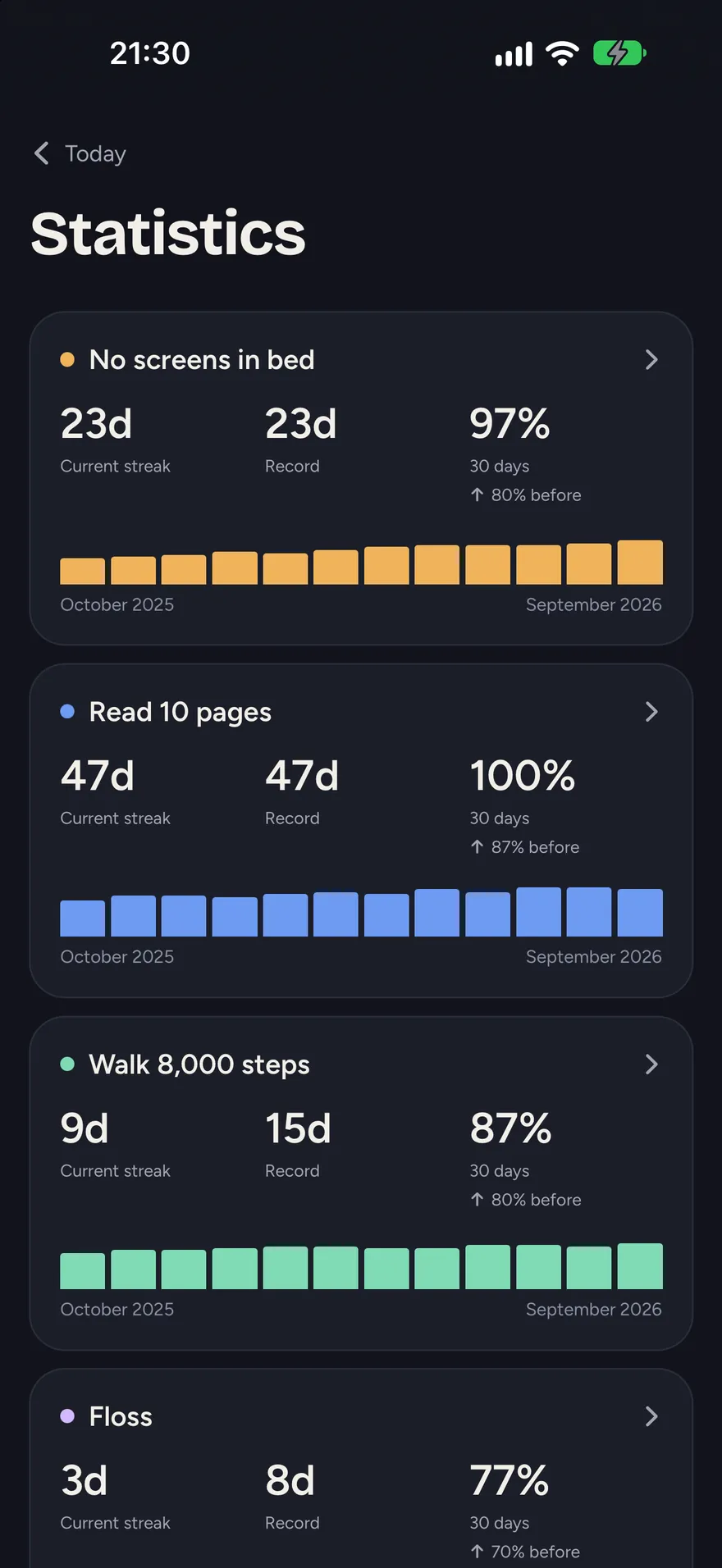
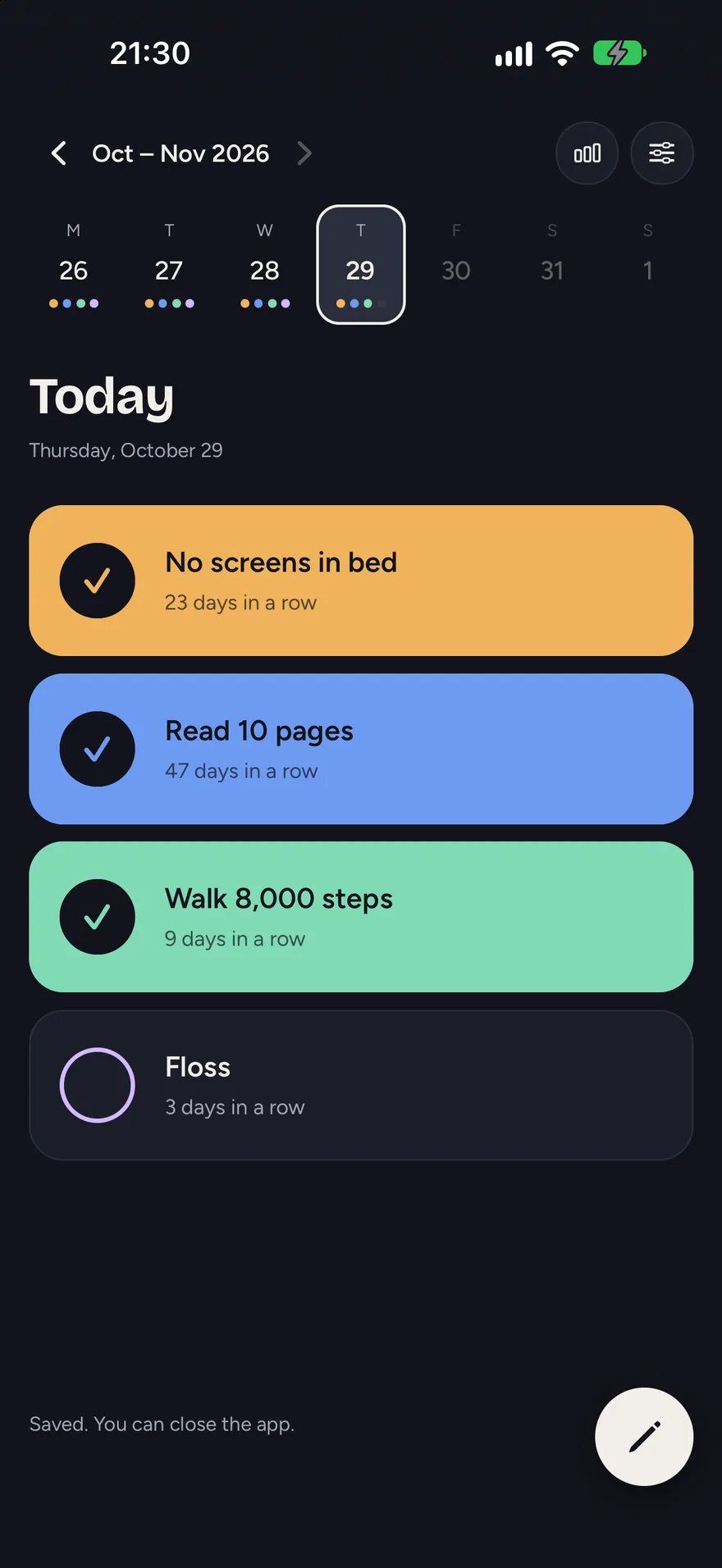
An evening ritual, not a productivity tool.
Tap, then close.
Open the app, tap the habits you kept today, and you’re done. Each tap fills the card with its colour.
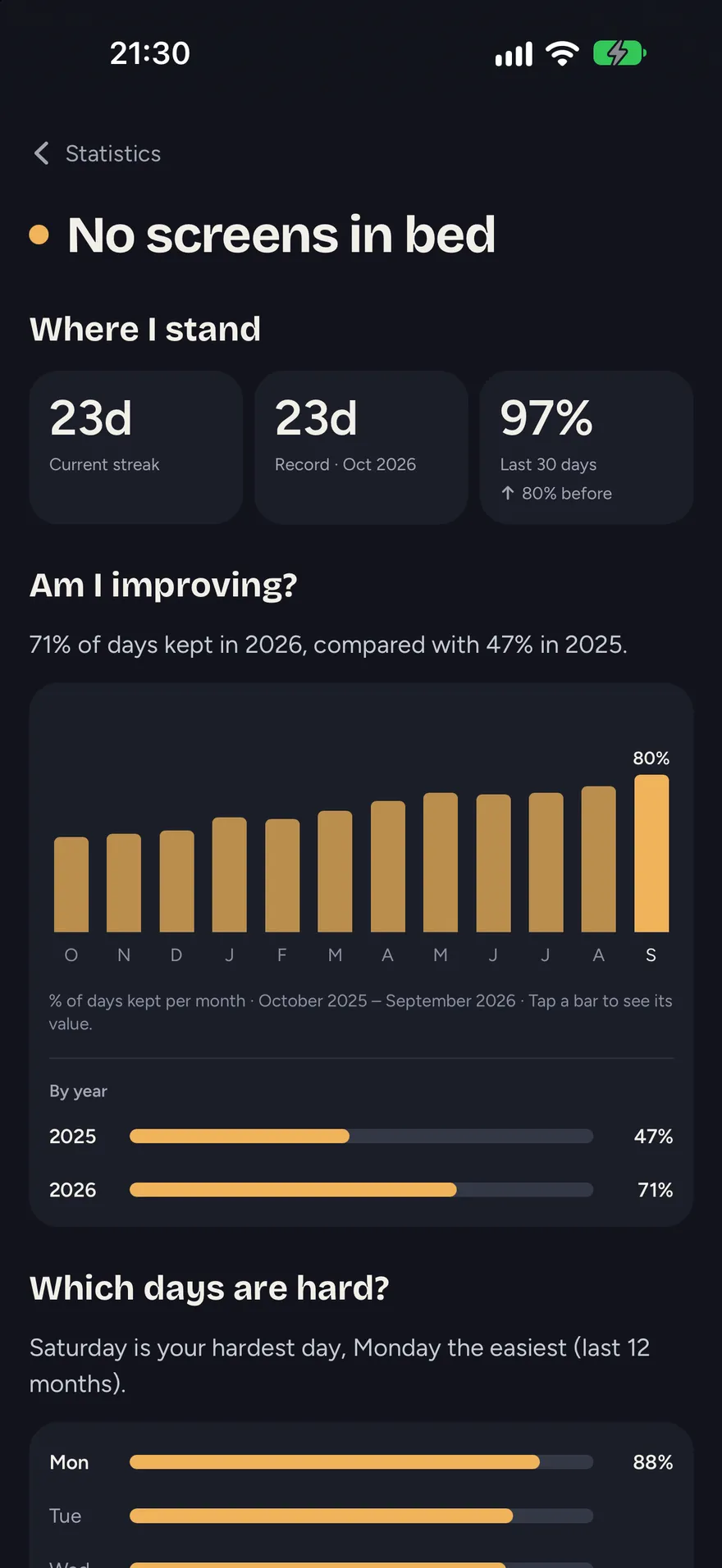
Honest statistics.
Current streak, record, month-by-month progress and the days that are harder. No badges, no coach, no pressure.
Stays on your phone.
No account, no server, no tracking. Export a file whenever you want a backup or a new phone.
Three screens, nothing more.
No account. No server. No tracking.
Your habits are stored on your phone and nowhere else. Nobody, not even the developer, can see them.
Installing on Android
Habits isn’t on Google Play. You install it directly from this site, as an APK file.
Download APK · [SIZE] MBSHA-256: [CHECKSUM]
- Download the APK on your Android phone.
Open this page on the phone itself and tap the button. - Allow the install.
Android asks once to let your browser install apps. Accept for this file. - Open Habits.
For a new version, download the new APK and install it over the old one. Your data stays.